

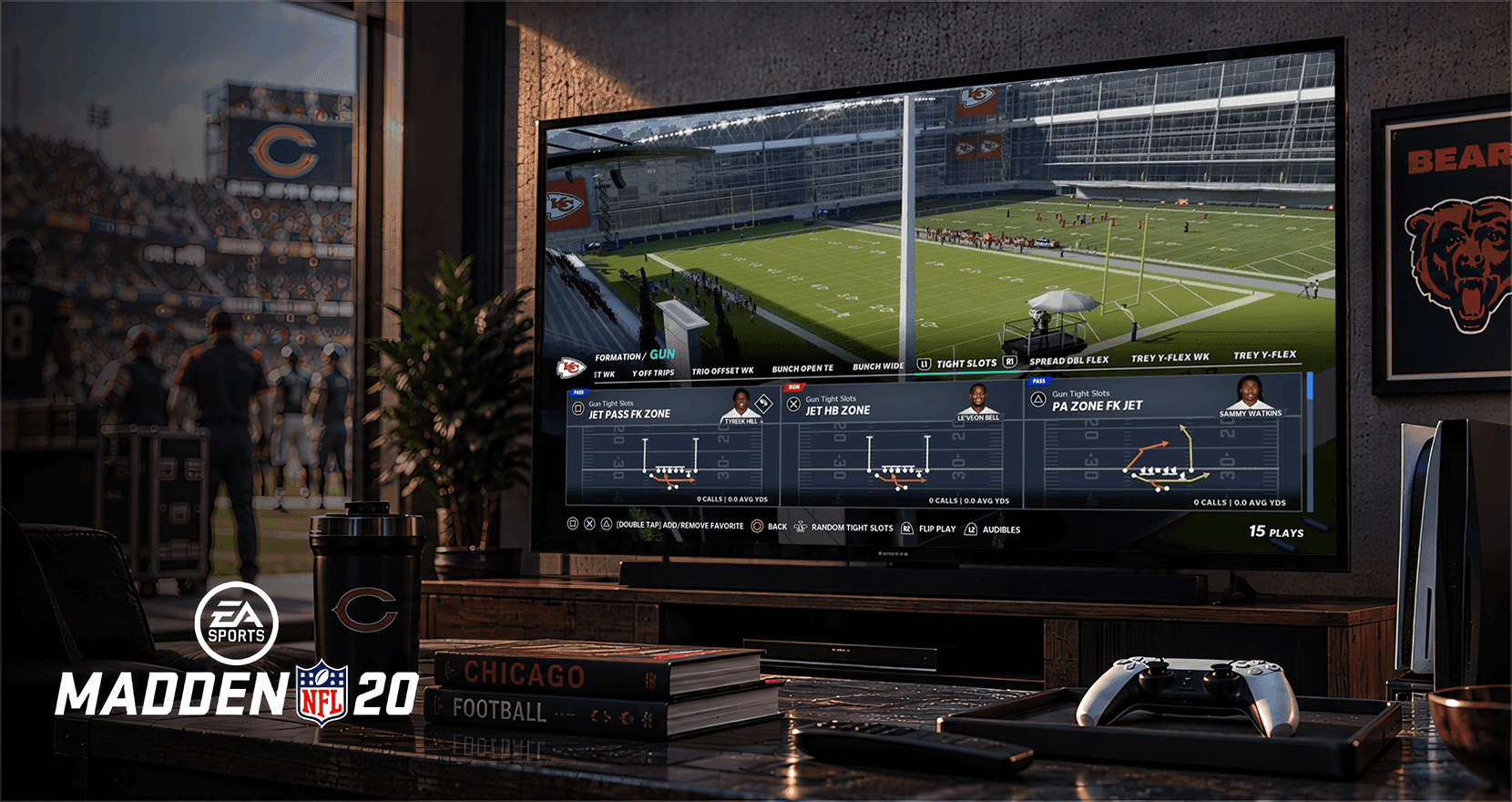
The problem: The most-used screen in the game, rebuilt for a new console generation
Play calling is the most-used screen in Madden. Every snap on offense and defense starts there, so it's also the screen where a decade of added features shows the most wear.
The work began as Madden NFL 20 shipped in 2019. With next-generation consoles on the horizon, the gameplay team started looking past the annual cycle toward a Play Call system built for PlayStation 5 and Xbox Series X|S. That system would ship with the next-gen release of Madden NFL 21 in December 2020, alongside Next Gen Player Movement. EA later framed the new play-call system as part of the "solid foundation for the player movement system."
I led the early design of the next-gen Play Call as the experience designer supporting gameplay. The other three experience designers on Madden covered Franchise mode and other areas of the game.
Play calling is the most-used screen in Madden. Every snap on offense and defense starts there.
Starting that early meant designing for hardware and a player-movement system that were still taking shape, more than a year before release.
The brief had three parts: modernize the look and structure for next-gen consoles; shift play selection toward athletes, so a player could think "get the ball to my star receiver" instead of memorizing formation names; and bring the NFL's Next Gen Stats into the pre-snap experience, so players could see what a play would do before calling it.
Working with gameplay designers and producers, we turned that request into a design problem: what a new player needed from Play Call, what a competitive player needed, and where the existing screen was serving neither. The core tension was giving players more information (routes, personnel, concepts, stats) while making the screen feel simpler than before.
EA described the next-gen goal in nearly the same terms: a play-call screen that was "more intuitive and user-friendly, while still having the depth and power our core fans love."
The constraints: Change it without breaking muscle memory
The research: Play testing decided what stayed
We partnered with EA's user experience research team to put next-gen concepts and interactive prototypes in front of players, then fed what we learned back into the direction. Play Call is a muscle-memory screen, so the research mattered as much for what not to change as for what to change.
How it evolved: Add new ways in, without moving the old ones
Early next-gen concepts put athlete-first selection, coach suggestions, and route previews together in a single, rebuilt layout. The challenge, as I first saw it, was arranging all of that cleanly enough that it wouldn't feel dense.
Play testing showed the problem wasn't arrangement. Two groups of players wanted opposite things. Newer players saw extra information as noise. They wanted to pick a play and get back to the game. Experienced players wanted depth, but they navigated the screen by habit. They weren't reading it. Their hands already knew where to go, so any concept that moved things around to make room for new information slowed down the people who used the screen most.
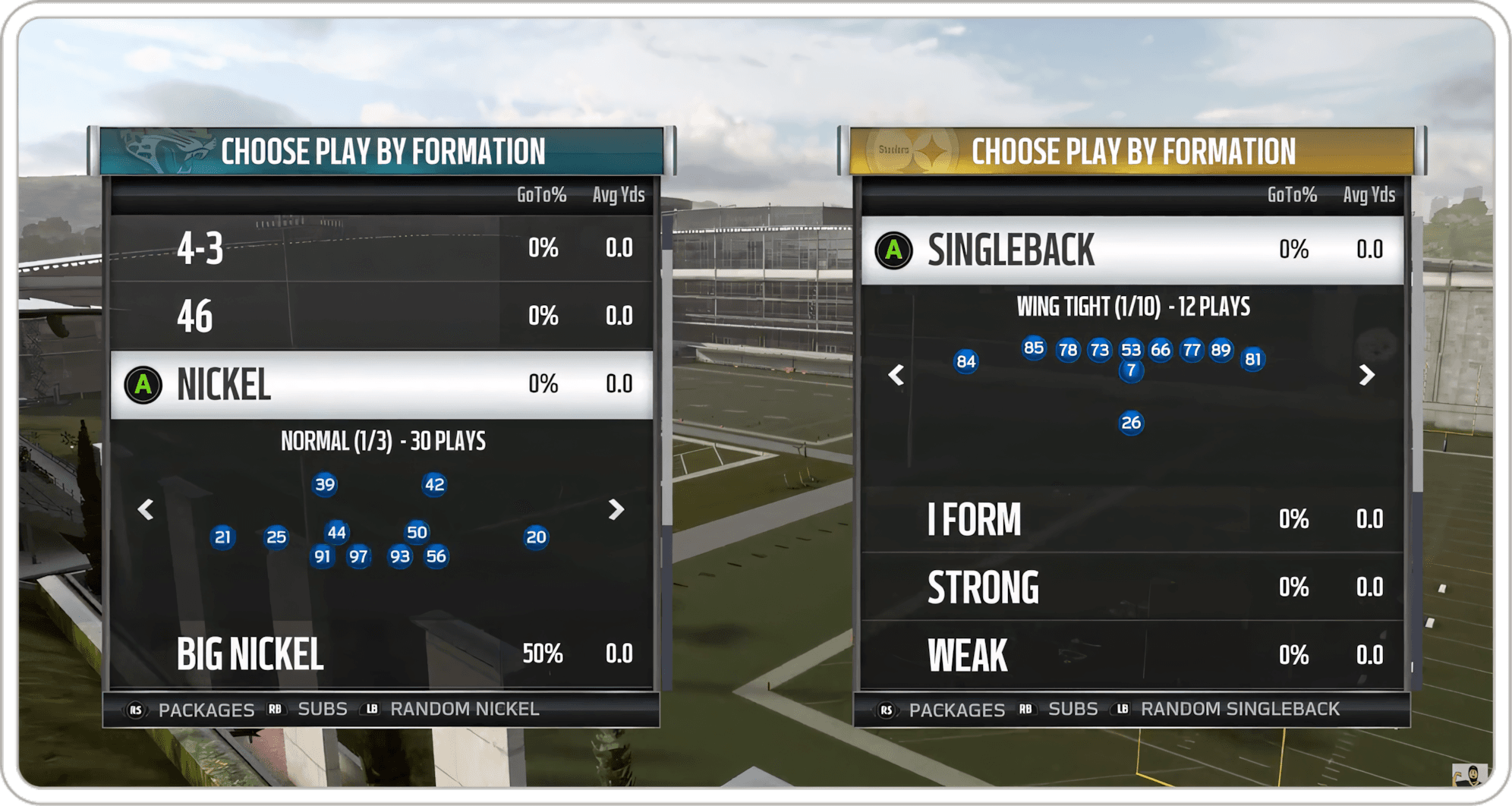
That changed the direction. Instead of rebuilding the screen around new information, the next-gen system would add new ways in around the familiar path. Starting from the athlete gave newer players a simpler way in, without asking them to learn formation names first. Formation-first browsing stayed where experienced players expected it, so their habits still worked on day one. Saving favorite plays gave competitive players faster access to the calls they already knew they wanted.
Their hands already knew where to go.
The real issue wasn't layout. It was two audiences, and the answer was more paths into the playbook, not a denser screen.
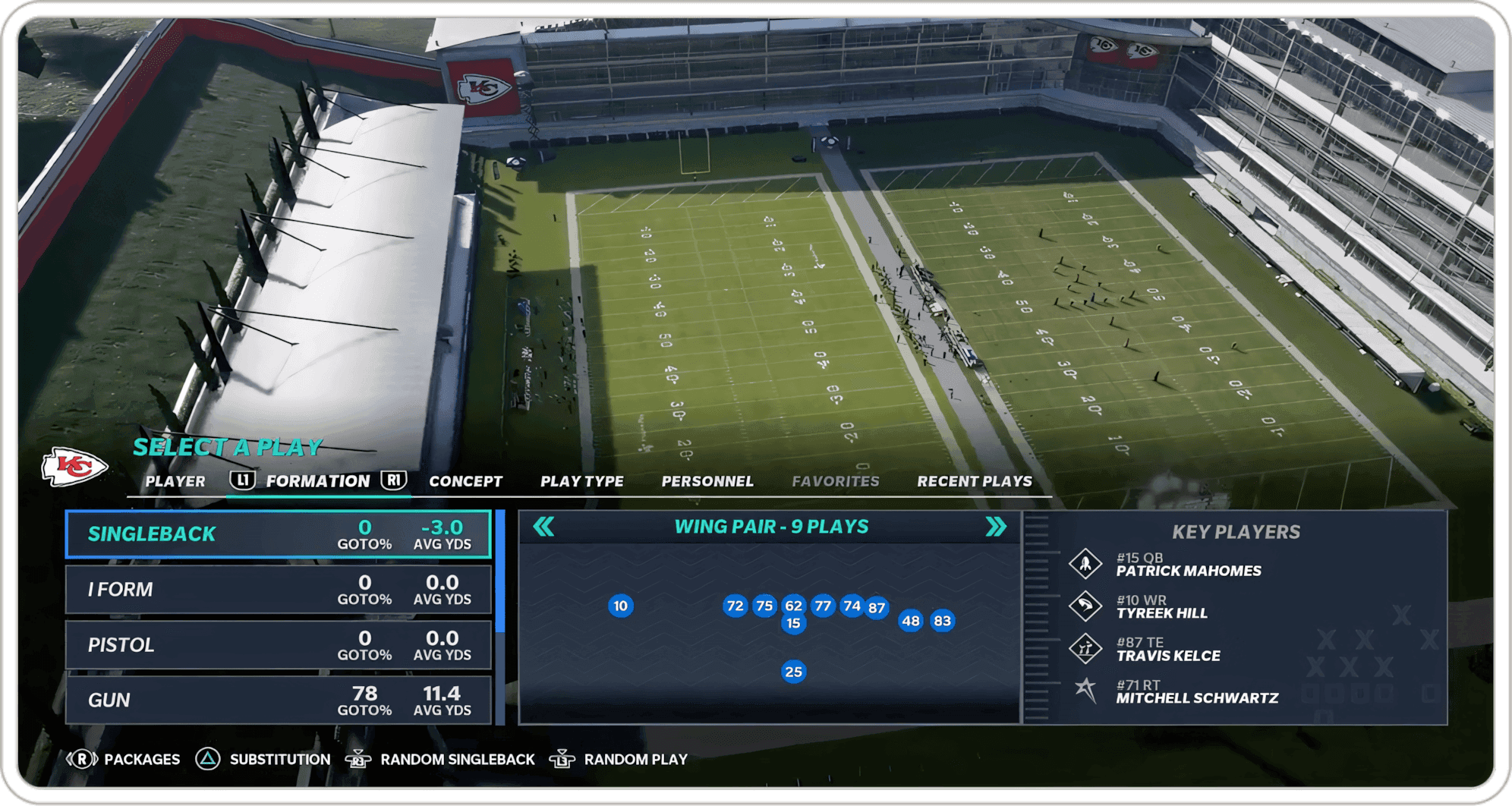
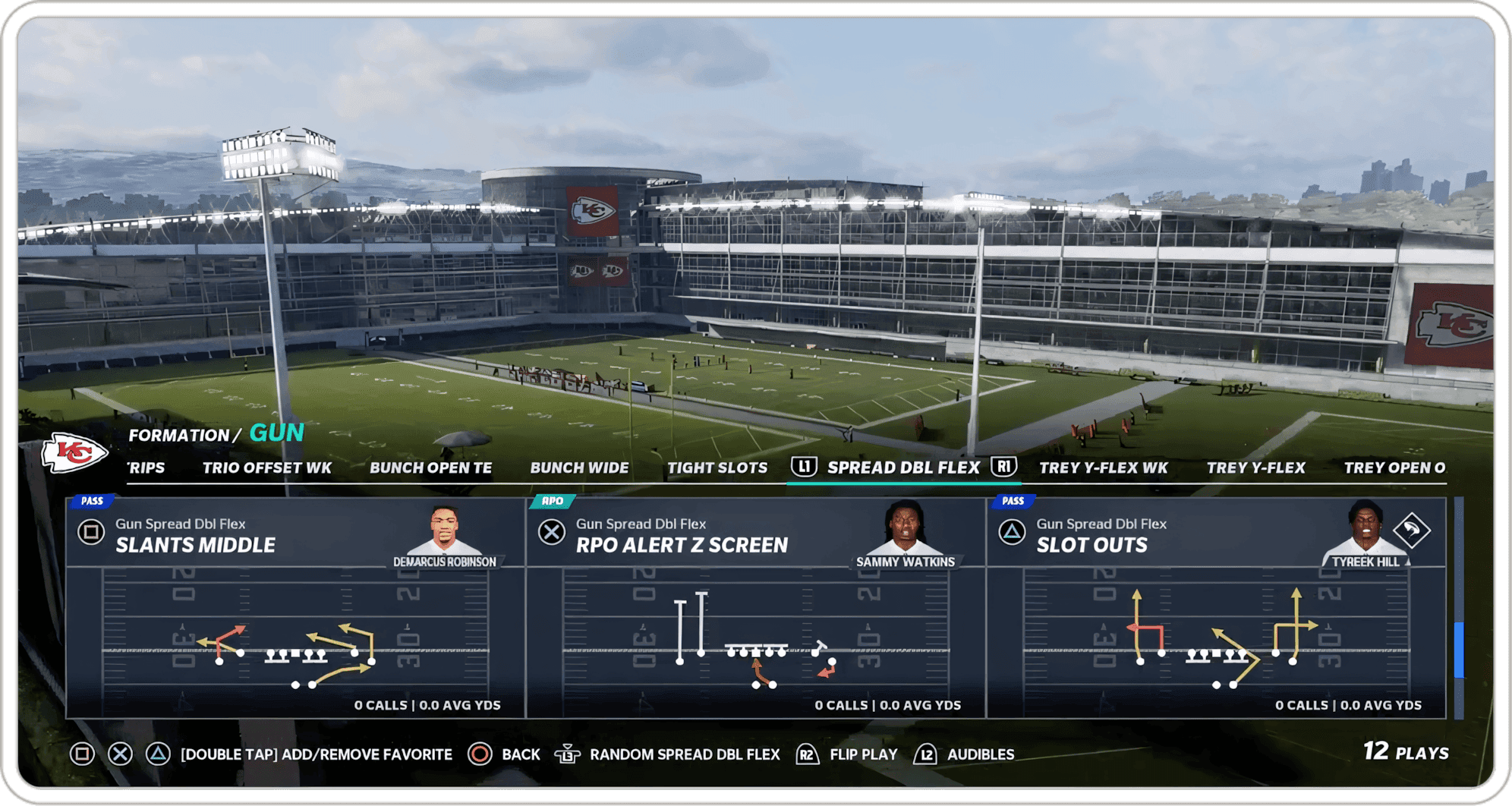
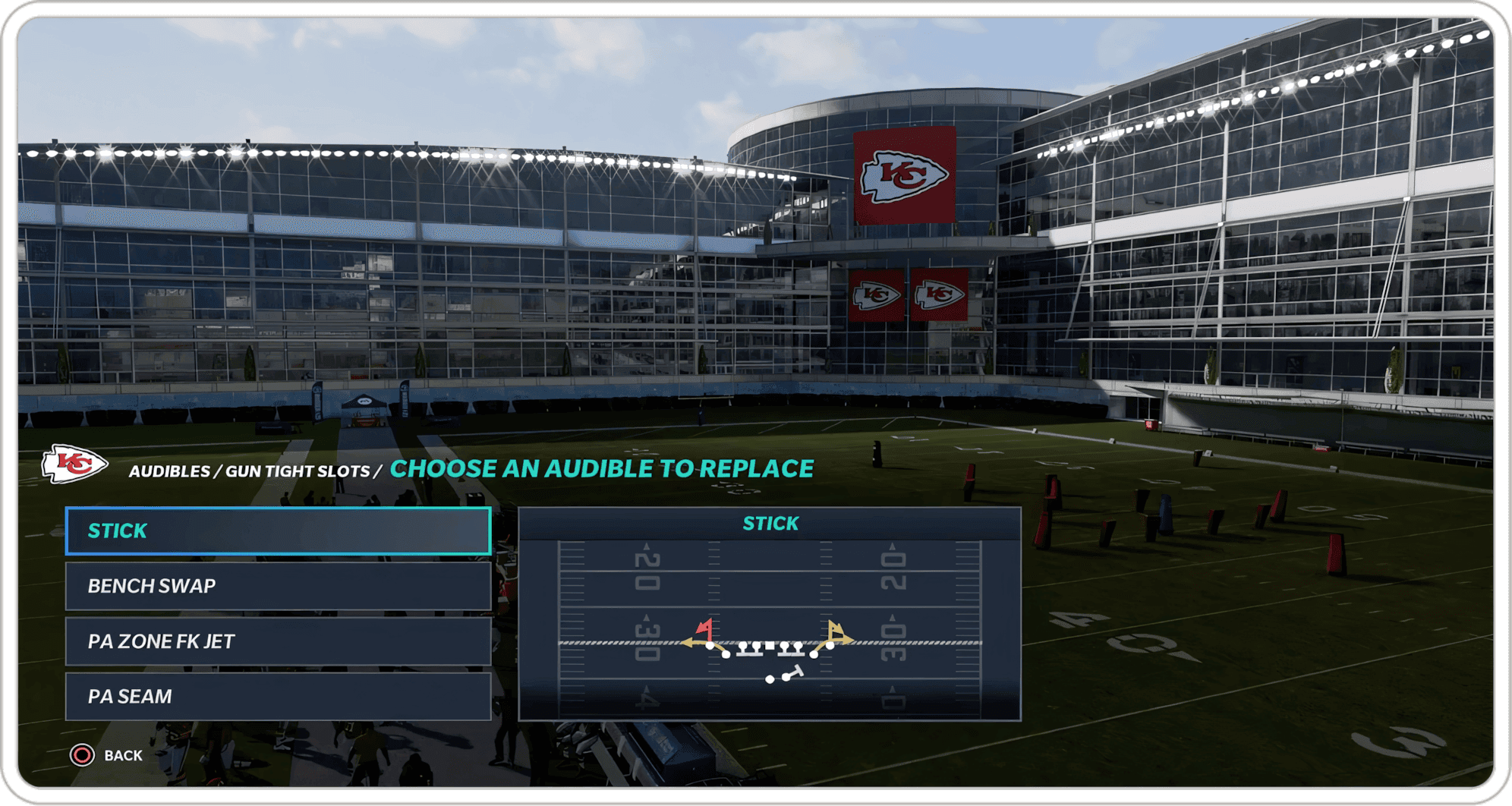
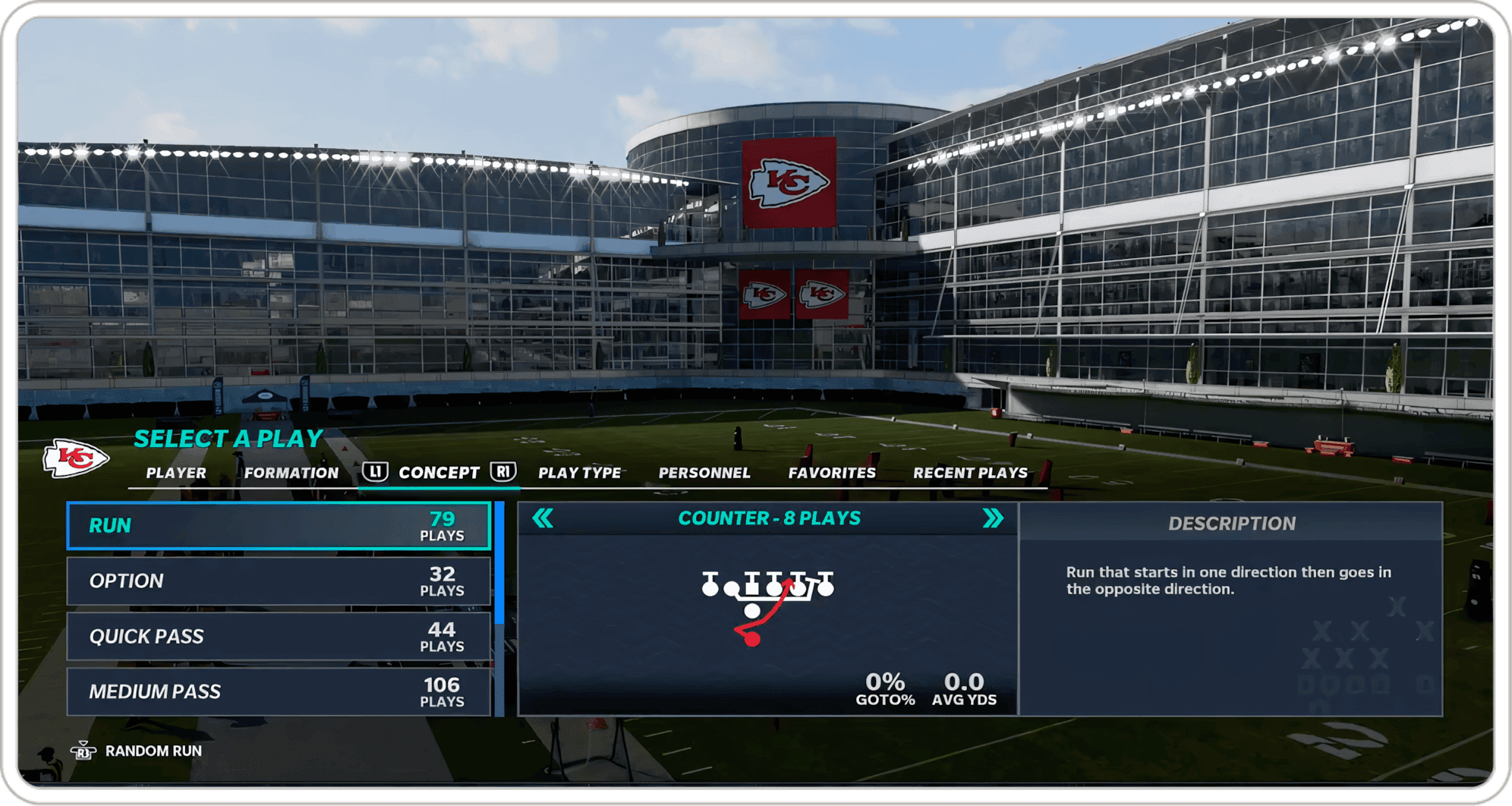
What I did: Athletes over formations, through handoff
Early next-gen concepts, wireframes, and interactive prototypes explored how athlete-first selection, coach suggestions, and route previews could fit into Play Call without adding density.
On a habit screen, research tells you what to leave alone.
In parallel, I contributed to Madden's shared design system in Adobe XD, and the next-gen Play Call was one of the first features to draw on it.
- 1 of 4Reframed a next-gen modernization request as a two-audience problem, new and competitive players, and held the visual refresh until those needs were clear.
- 2 of 4Started the call from the athlete, not the formation, exploring coach suggestions and route previews alongside it, while keeping formation-first browsing as a supported path.
- 3 of 4Play tested next-gen prototypes with EA's UX research team, and used the results to hold back structural changes that would have broken players' muscle memory.
- 4 of 4Developed early iterations of favorite plays, which the gameplay UX team expanded after handoff.
The outcome: Built out by the gameplay UX team after handoff
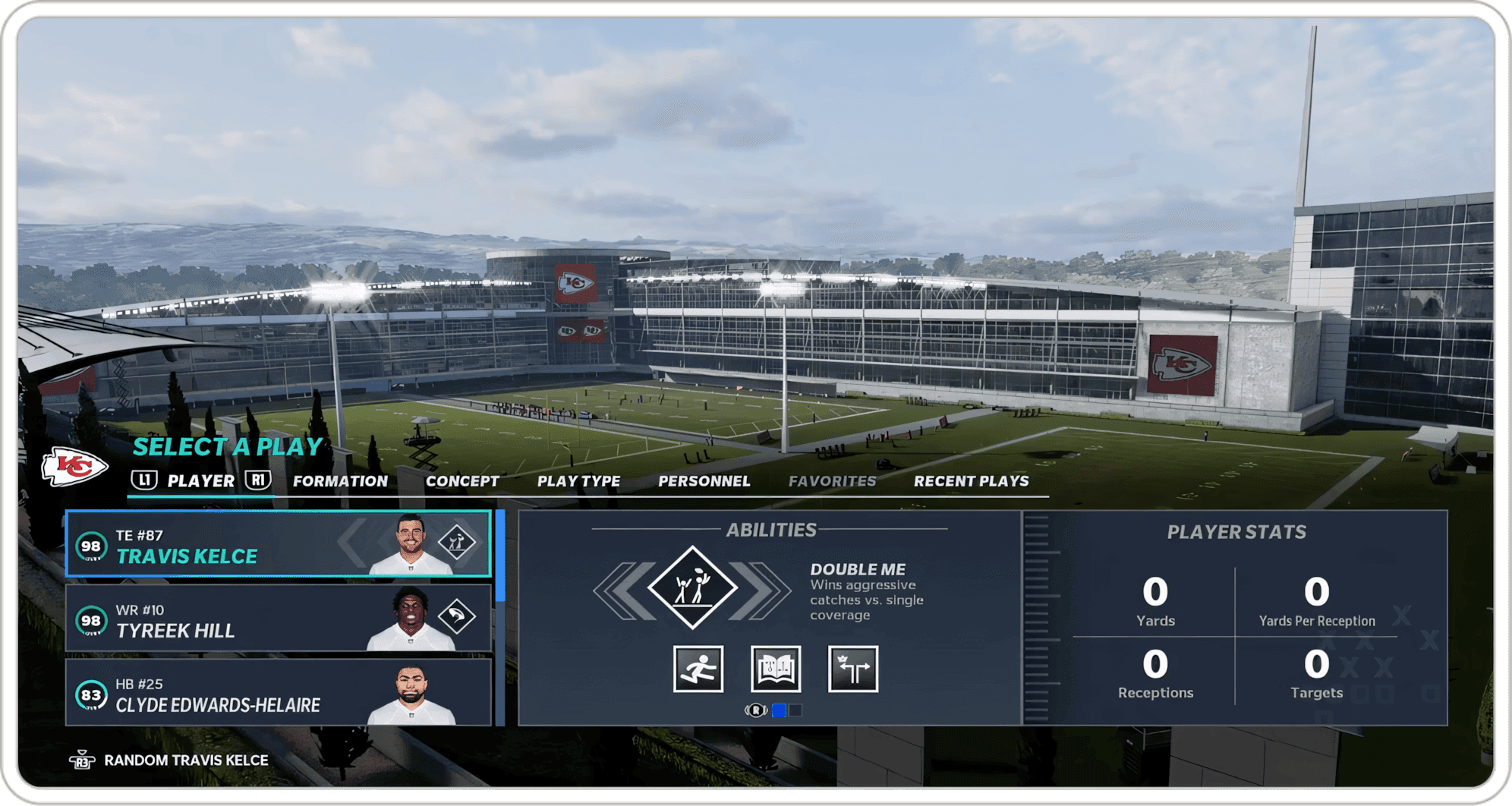
The gameplay UX team took the work through production for the December 4, 2020 next-gen release. The shipped next-gen Play Call included star-driven play calling, which EA described as making play calling "more customizable and intuitive for players to get the ball in the hands of their favorite players, while also learning the rationale behind each play."
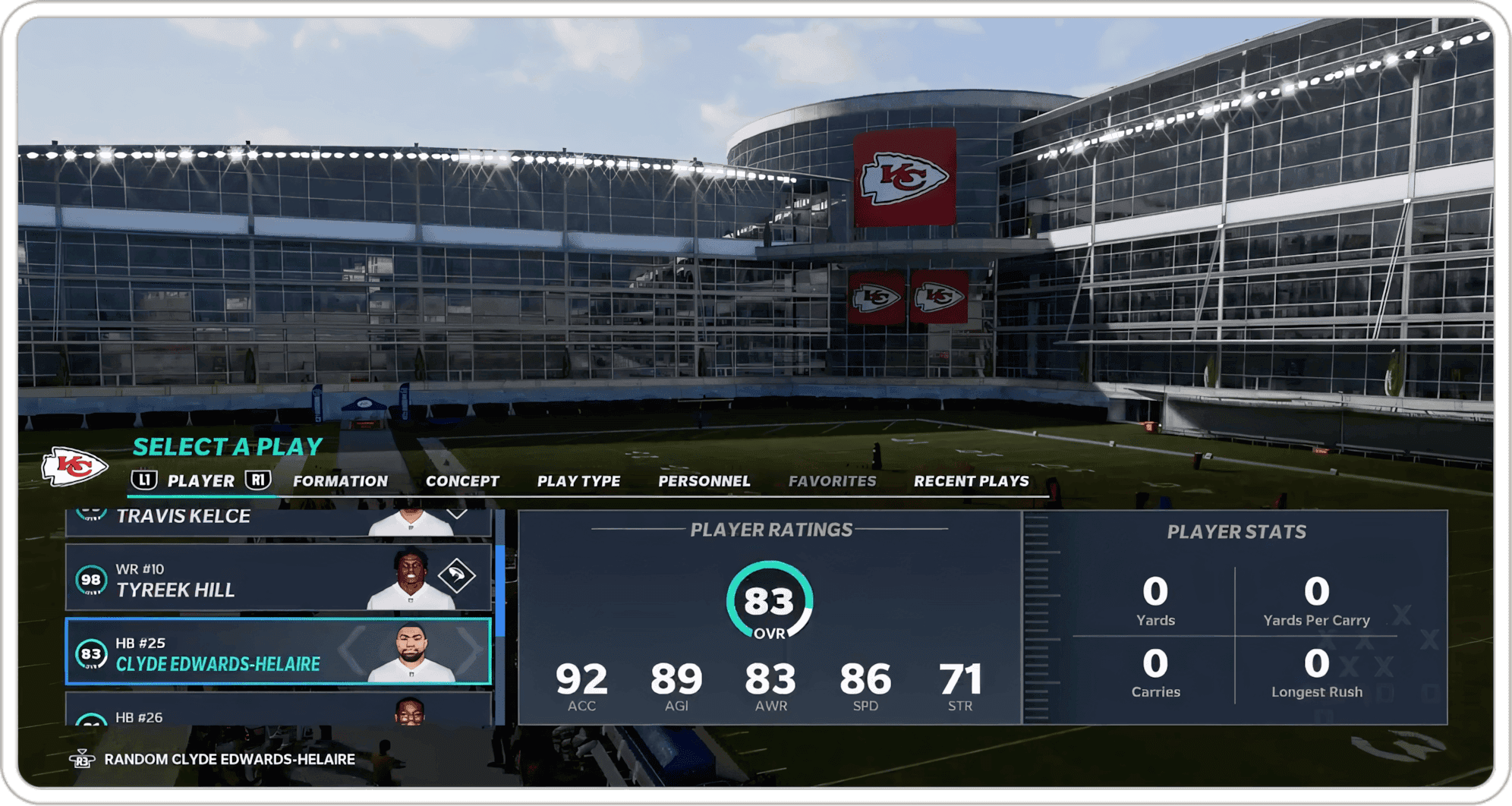
Players could call plays by player, picking a play by the athlete they wanted to feature instead of flipping through formations. Favorite plays were saved with a marker to a new playbook tab for quick access. X-Factor and Game Goals moved inside Play Call, so players could see Superstar abilities and in-game stats without leaving the screen.
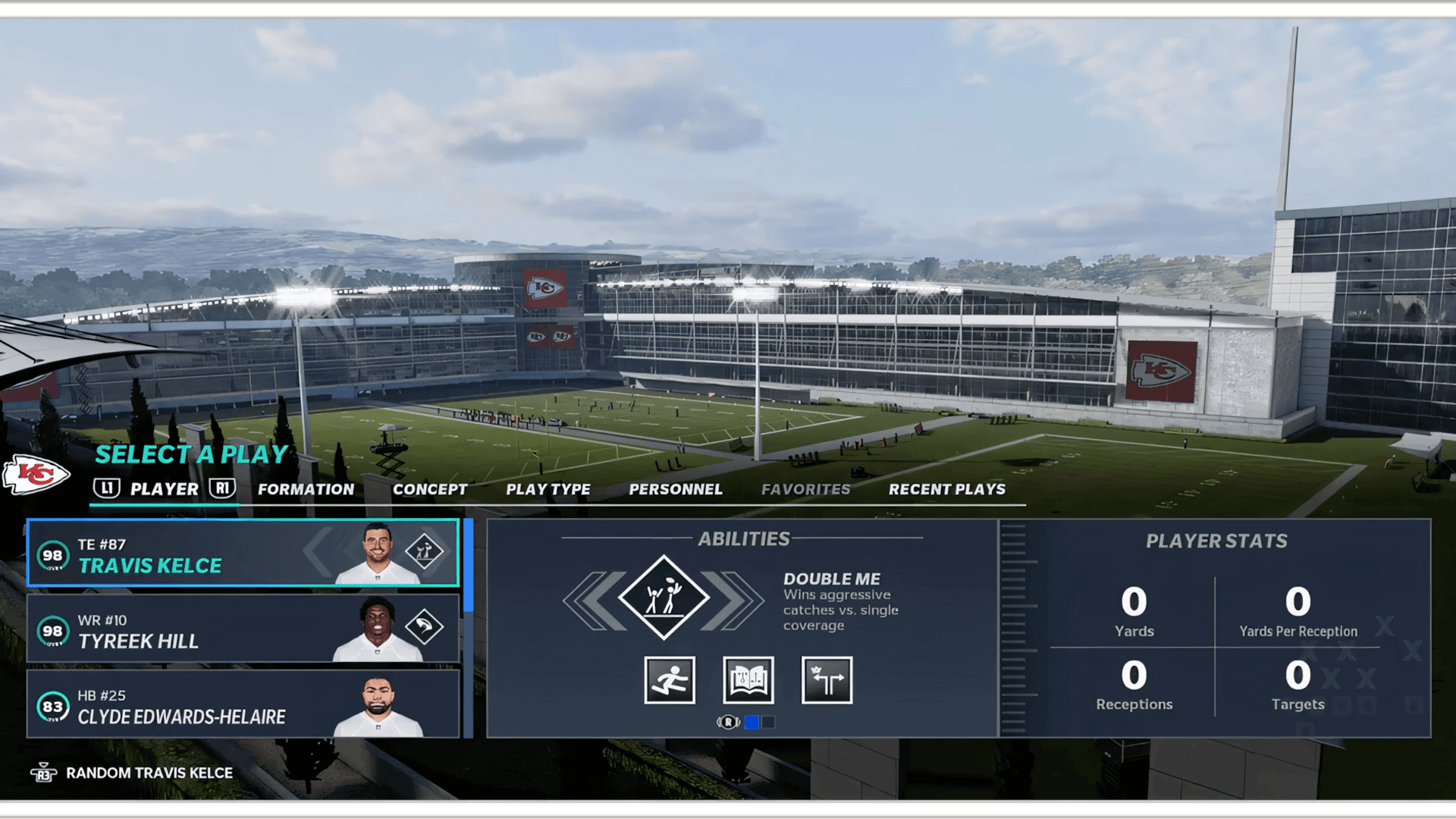
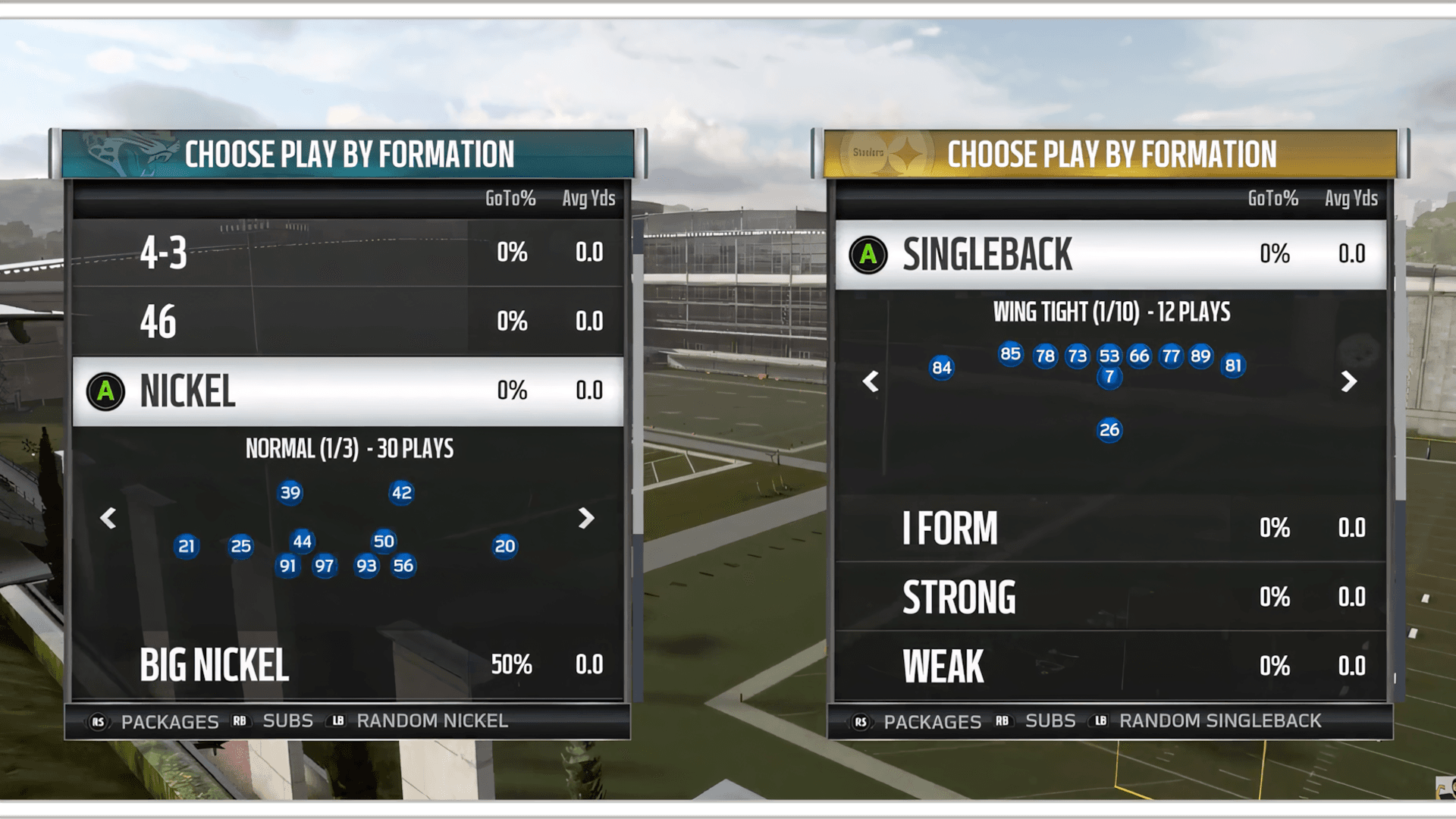
Before and after: picking plays by formation in Madden 19, and the shipped next-gen Select a Play screen, browsing by player with Travis Kelce's Double Me ability and stats.
What it taught me: Add paths, not density
- 01Check whether it's a layout problem or an audience problem. I started by solving layout. The real issue was two audiences with opposite needs, and no amount of polish on one screen would have fixed that.
- 02On a habit screen, research tells you what to leave alone. Players who navigate by muscle memory pay for every element you move. Testing showed what had to stay put as clearly as what could change.
- 03Add paths, not density. New ways into the playbook let the screen do more without feeling heavier.
- 04A clean handoff is part of the work. My scope ended before production, so the direction had to arrive tested and clear enough for another team to build on and expand.